
Tech Tip: Registering database as a service defaults to manual start up
PRODUCT: 4D | VERSION: 18 | PLATFORM: Mac & Win
Published On: January 25, 2021
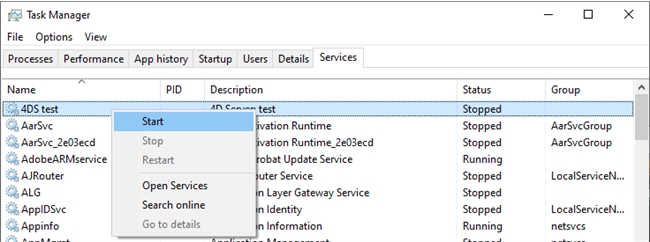
When registering a database as a service, the service will still have to be manually started up under Task Manager > Services shown in the image below:
If the user wishes to have the service start up automatically, make sure to set the service to Automatic which will immediately start the service whenever the machine boots up.
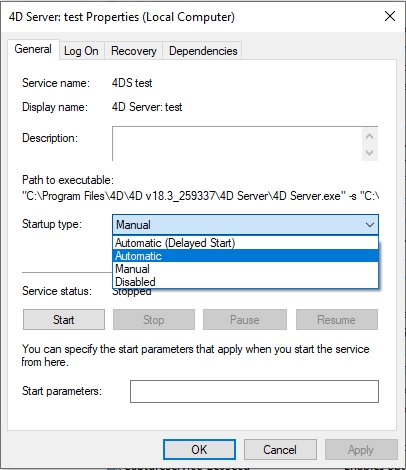
If the user wishes to have the service start up automatically, make sure to set the service to Automatic which will immediately start the service whenever the machine boots up.