
Tech Tip: Troubleshooting Form Object Event Not Triggering
PRODUCT: 4D | VERSION: 20 | PLATFORM: Mac & Win
Published On: December 9, 2025
When working with a form object that has form events coded into its object method, sometimes an event is not triggered when it is expected to trigger. For example, imagine a web area is created with the following code in its object method:
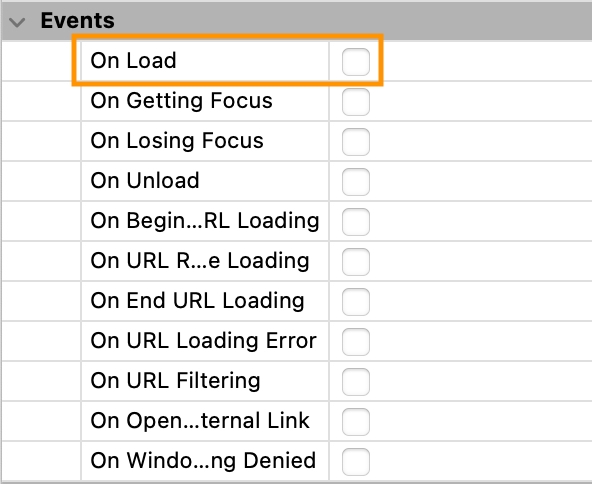
In the above code, when the web area is loaded, it should display the HTML page from the resources folder. However, it may be found that the web area does not display anything. The first thing to check is if the event is activated for the form object. In this case, On Load is not enabled by default in a newly created web area.
If the event is still not triggered after being enabled in the property list, try inserting some TRACE or breakpoints to see if any of them bring up the debug window. Then, carefully step through the sequence of events captured.
| Case of : (Form event code=On Load) $path:=Get 4D folder(Current resources folder)+"default.html" WA OPEN URL(*; "Web Area"; $path) End case |
In the above code, when the web area is loaded, it should display the HTML page from the resources folder. However, it may be found that the web area does not display anything. The first thing to check is if the event is activated for the form object. In this case, On Load is not enabled by default in a newly created web area.
If the event is still not triggered after being enabled in the property list, try inserting some TRACE or breakpoints to see if any of them bring up the debug window. Then, carefully step through the sequence of events captured.