
Tech Tip: How to Color a Column Directly Based on Conditions (Entity-Selection Listbox)
PRODUCT: 4D | VERSION: 21 | PLATFORM: Mac & Win
Published On: March 2, 2026
To color only one column, set the expression in the column properties, not in the listbox
Example:
- Select the column.
- Set the Background Color Expression to the name of the project method setColor.
- Add a conditional expression in the method
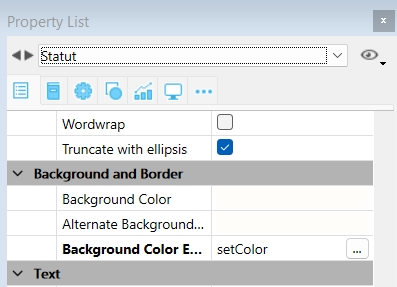
Example:
| #DECLARE()->$color : Integer Case of : (This.Status="Validate") $color:=0x0072D689 : (This.Status="In progress") $color:=0x00F7F18B : (This.Status="Delivered") $color:=0x00BDB3B3 End case |