
Tech Tip: Selecting a .4darchive File When Building a Windows Client from a MacOS Server
PRODUCT: 4D | VERSION: 21 | PLATFORM: Mac & Win
Published On: March 20, 2026
When the 4D is running on macOS and you want to generate a Windows client application, you must provide the Windows client update file.
By default, clicking the [...] button only allows you to select the 4D Volume Desktop for Windows application.
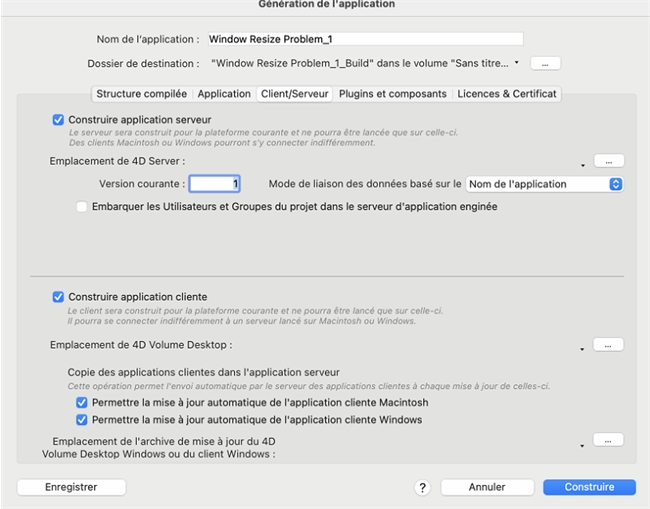
If you want to use an existing .4darchive file previously created on Windows, you can access it as follows:
By default, clicking the [...] button only allows you to select the 4D Volume Desktop for Windows application.
If you want to use an existing .4darchive file previously created on Windows, you can access it as follows:
- Hold down the Shift key.
- Click the [...] button to choose the update file.
- The file selection dialog will then allow you to select a .4darchive file.